
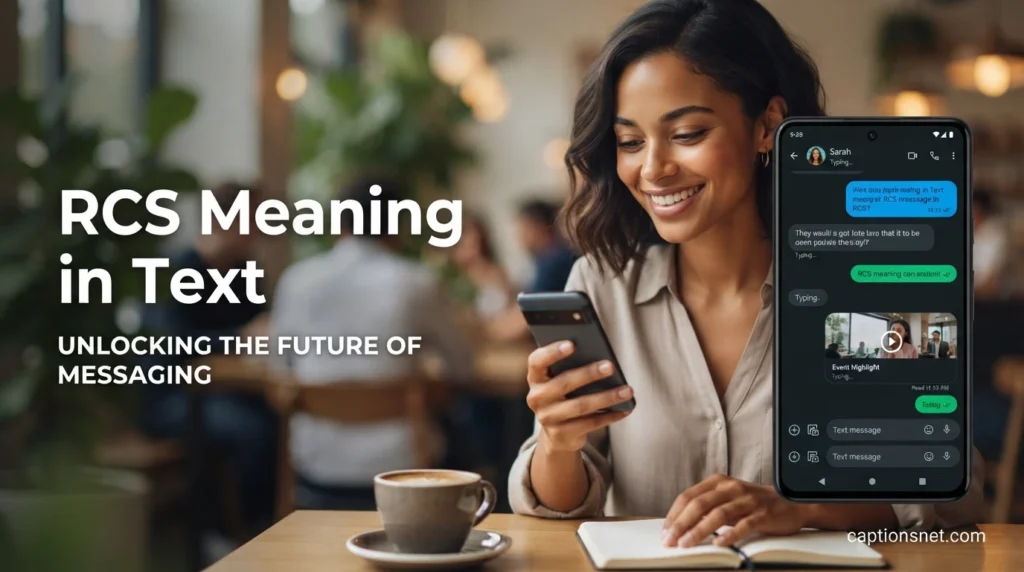
Have you ever opened your messaging app and noticed RCS where you expected to see a regular text message? If those three letters left you wondering whether they were slang, an abbreviation, or some hidden texting code, you are certainly not alone. Messaging technology has changed dramatically, and familiar phone-number texting can now include features that once belonged only to dedicated chat apps. RCS stands for Rich Communication Services, a modern messaging standard that can provide typing indicators, read receipts, higher-quality photos and videos, richer group chats, and messaging through Wi-Fi or mobile data.
Understanding the rcs meaning in text is therefore about more than memorizing three words. It helps you understand why a message may behave differently from a traditional SMS, why you can sometimes see when someone is typing, and why a conversation may suddenly offer richer sharing options. Whether you are a curious texter, a parent trying to understand a child’s messaging screen, a student researching texting abbreviations, or simply someone who wants to stay current with digital communication, this guide explains RCS in simple language.
What Does RCS Mean in Text Messages?
- RCS means Rich Communication Services, a modern standard created to make phone-based messaging richer and more interactive. 💬
- The simplest rcs meaning in text is an upgraded messaging experience that goes beyond traditional SMS. 📱
- RCS can support features such as typing indicators, read receipts, high-resolution media, and improved group conversations. ✨
- Seeing RCS usually means your messaging app is using an internet-based messaging service rather than ordinary SMS. 🌐
- Unlike texting slang, RCS is a technical communication standard rather than an expression with an emotional meaning. 💙
- RCS is designed around phone-number messaging, allowing people to enjoy richer communication without necessarily moving to another chat app. 🤝
- A conversation using RCS may feel similar to familiar internet messaging platforms while remaining inside your normal messaging application. 😊
- Google describes RCS as a modern industry standard that enables more dynamic conversations than SMS or MMS. 📨
- RCS can operate through mobile data or Wi-Fi, giving supported conversations greater flexibility than traditional carrier texting. 📶
- The abbreviation itself does not mean a particular emotion, reaction, or secret phrase between friends. 🌷
- If someone asks about the rcs meaning in text, the direct answer is Rich Communication Services. 🔎
- RCS can make ordinary phone-number conversations feel more like modern app-based chats. 💕
- The exact features available can depend on the devices, messaging apps, carriers, and participants involved. 🛠️
- RCS is associated with both Android messaging and supported iPhone messaging experiences. 🍎
- The technology was designed as a richer successor to SMS and MMS rather than simply another texting abbreviation. 🚀
- RCS may allow users to share better-quality photos and videos than older multimedia messaging systems. 📸
- Read receipts can tell participants when messages have been read when that feature is supported and enabled. 👀
- Typing indicators can make conversations feel more natural because you can see when another person is preparing a reply. ⌨️
- RCS can also improve group messaging with richer communication features and media sharing. 👨👩👧👦
- In everyday language, you can think of RCS as modern texting built around the capabilities of smartphones. 🌟
RCS Texting Meaning Explained Simply
- RCS texting is easiest to understand as regular phone-number messaging with additional modern chat features. 💡
- Imagine SMS as a simple letter and RCS as a letter with interactive communication tools attached. ✉️
- With supported RCS chats, you may see whether someone is typing before their response arrives. 📝
- You may also receive read receipts showing that your message has been read. 👁️
- High-resolution photos and videos can make shared memories look much clearer than heavily compressed media. 🖼️
- RCS can use Wi-Fi or mobile data, depending on the circumstances and supported service. 📡
- That internet connection helps RCS deliver capabilities that basic SMS was never designed to provide. 🔗
- A person does not have to type the letters RCS into a message for RCS to be active. 🔤
- In many cases, RCS works quietly in the background through the messaging application. 🌙
- The rcs meaning in text therefore describes the technology behind the conversation rather than a slang definition. 🧩
- RCS can make texting feel more immediate because delivery and typing information can provide additional context. ❤️
- Someone who sees RCS for the first time may simply be seeing a status or messaging mode indicator. 📲
- It does not automatically mean that the sender is using a special secret messaging code. 🔐
- The experience can vary because RCS support is influenced by carriers, devices, apps, and regional availability. 🌍
- When RCS is unavailable, supported messaging apps may fall back to SMS or MMS. 🔄
- This fallback can make one conversation behave differently from another on the same phone. 🧠
- RCS can support richer file and media sharing than traditional text messaging. 📂
- The overall goal is to make carrier-based texting more useful in a smartphone-centered world. 🌎
- RCS keeps the convenience of using a phone number while adding features associated with modern messaging services. ☎️
- In short, RCS is technology that helps ordinary texting become a more interactive conversation. 🌈
Rich Communication Services in Everyday Texting
- Rich Communication Services is the full form behind the three-letter abbreviation RCS. 📚
- The word rich refers to the greater variety of communication features available compared with basic SMS. 💎
- Services refers to the communication capabilities delivered through the messaging infrastructure. 🛰️
- RCS is not simply another name for SMS because the underlying technology and capabilities are different. ⚙️
- Traditional SMS was designed primarily for straightforward text communication. 📄
- RCS was developed to support a richer smartphone messaging experience. 📲
- Modern RCS conversations can include text, photos, videos, files, reactions, and other supported features. 🎥
- Typing indicators can help people know that a response is being prepared. ⏳
- Read receipts can reduce uncertainty by showing when supported messages have been read. 🌸
- Group messaging can become more flexible when participants have compatible RCS support. 🫶
- The rcs meaning in text is therefore connected to how your messaging service handles richer conversations. 📨
- RCS can bridge some of the gap between ordinary texting and dedicated messaging applications. 🌉
- You can often continue using the same phone-number-based conversation instead of creating a new account elsewhere. 👤
- Internet connectivity plays an important role in RCS communication. 📶
- RCS can work through Wi-Fi, which can be helpful when cellular connectivity is limited but internet access is available. 🛜
- Support is not identical on every phone, carrier, or messaging application. 📱
- Some features may appear only when all participants and services involved support them. 🤲
- Google Messages documentation notes that RCS chats are enabled when participants in a conversation have RCS available. 🌟
- Understanding the full name makes the abbreviation much easier to remember. 🧠
- Once you know what RCS represents, seeing it on your phone becomes much less mysterious. 😊
RCS Chat Meaning on Your Phone
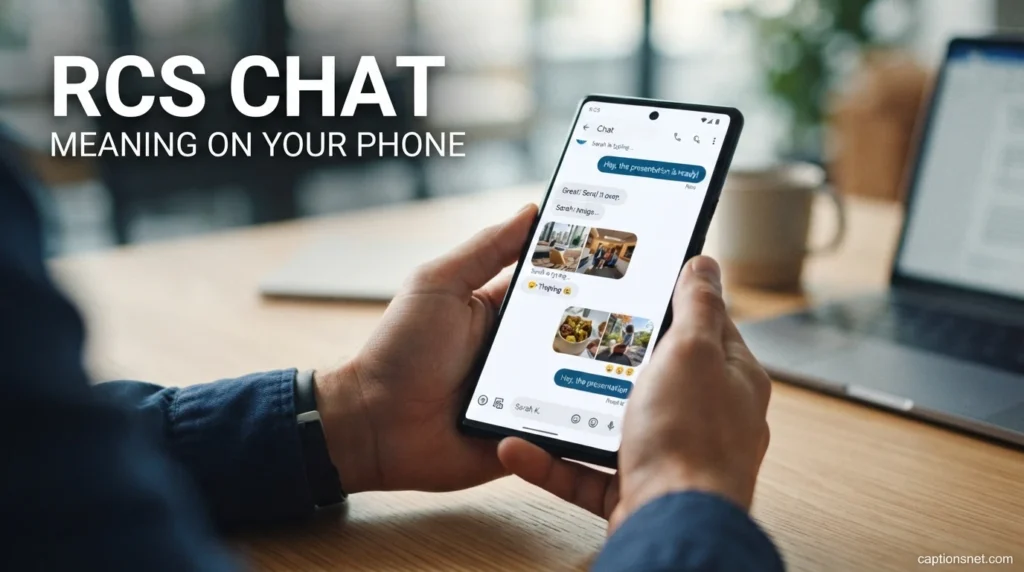
- RCS Chat generally refers to a conversation using the Rich Communication Services standard. 💬
- On supported devices, RCS Chat can appear as a messaging option inside the default messaging application. 📱
- Google Messages uses the term RCS chats for its implementation of richer messaging capabilities. 🔵
- The label does not mean that someone sent you an abbreviation called RCS. 📨
- Instead, it can indicate the communication method being used for the conversation. 🧭
- You may notice RCS Chat when the compose box or conversation information identifies the messaging mode. 👀
- Typing indicators are one familiar sign of a richer messaging experience. ⌨️
- Read receipts are another feature commonly associated with supported RCS chats. ✅
- Media sharing can also be more capable than what you would normally expect from SMS or MMS. 📷
- The rcs meaning in text can therefore be understood as the messaging technology currently supporting the conversation. 🌐
- RCS Chat does not necessarily mean that both people have identical phones. 🤳
- Android and supported iPhone devices can participate in RCS conversations when the necessary support is available. 🔄
- Carrier and regional support can influence whether RCS is available to a particular user. 🗺️
- If RCS is unavailable, the messaging application may use SMS or MMS instead. 🔁
- Google says users can check RCS status through messaging settings on supported devices. ⚙️
- A connected RCS status generally indicates that RCS chats can be used with compatible contacts. 🔗
- A connecting status can mean the phone is still verifying the user’s number. ⏱️
- A not-supported message can indicate that the device or carrier does not currently support RCS. 🚫
- These labels are technical status indicators rather than emotional signals from another person. 💗
- Knowing this can make unfamiliar messaging labels feel much easier to understand. 🌼
Understanding the Difference
- SMS stands for Short Message Service and is the older standard behind traditional text messaging. 📜
- RCS was designed to provide a richer experience than conventional SMS. 🚀
- SMS primarily focuses on straightforward text delivery. ✍️
- RCS can support richer media, typing indicators, read receipts, and enhanced group messaging. 💬
- SMS traditionally relies on cellular messaging infrastructure rather than internet data. 📡
- RCS can send supported messages through Wi-Fi or mobile data. 🌐
- SMS does not provide the same built-in interactive capabilities associated with modern RCS conversations. 🧩
- RCS can make photo and video sharing substantially more flexible on supported services. 📸
- SMS is widely supported because it is an older and highly established messaging standard. 🌍
- RCS depends more heavily on compatible devices, software, carriers, and network services. 🔧
- The rcs meaning in text becomes clearer when you compare it with the simplicity of SMS. 🔎
- An SMS conversation may not show typing indicators in the same way an RCS conversation can. ⌨️
- RCS may provide read receipts when the feature is enabled and supported by participants. 👁️
- Traditional SMS does not offer the same modern group-chat capabilities as RCS. 👨👩👧👦
- RCS can also support larger and richer forms of content than basic texting. 📂
- When RCS is unavailable, some messaging apps can fall back to SMS or MMS. 🔄
- This fallback helps preserve communication even when the richer service cannot be used. 🤝
- SMS remains important because compatibility and availability can be broader. 🌟
- RCS and SMS can therefore work together rather than existing as completely separate experiences. 🛤️
- The biggest difference is that RCS brings modern internet-style features to phone-number messaging. ❤️
RCS and MMS Messaging Meaning
- MMS stands for Multimedia Messaging Service and expanded traditional texting to support multimedia content. 🖼️
- RCS builds on the idea of richer communication with a much broader modern feature set. 🚀
- MMS can send pictures and other media, but its experience is generally more limited than modern RCS. 📷
- RCS can support higher-quality photos and videos on compatible services. 🎬
- RCS can also offer typing indicators and read receipts. 👀
- Group conversations can be more feature-rich when RCS is available. 👥
- MMS and SMS often work through traditional cellular messaging systems. 📡
- RCS can use Wi-Fi or mobile data for supported chats. 🛜
- The difference becomes especially noticeable when sending media to friends or family. 👨👩👧
- A high-quality photograph can communicate a special moment more clearly through a richer messaging service. 💕
- The rcs meaning in text includes this broader shift from basic multimedia texting to modern communication. 🌈
- RCS is not merely a replacement word for MMS. 🔤
- Instead, RCS represents a different messaging standard with a wider range of capabilities. ⚙️
- Some RCS features may not be available when participants use incompatible services. 🔒
- Google notes that RCS conversations can share files and high-resolution photos. 📁
- If RCS is unavailable, supported messaging applications can use MMS as a fallback for certain content. 🔄
- This fallback system helps users continue communicating when richer messaging is not possible. 🌻
- MMS can still be useful on phones or networks where RCS is unavailable. 📱
- Knowing the difference can help explain why two conversations behave differently. 🧠
- RCS generally represents a move toward richer, internet-connected phone messaging. 🌐
RCS Features That Make Texting Feel Different
- Typing indicators can show when another person is actively composing a message. ⌨️
- Read receipts can show that a message has been read when supported and enabled. 👁️
- High-resolution media can make shared photographs and videos look clearer. 📸
- Wi-Fi messaging can help supported RCS conversations continue through an internet connection. 🛜
- Mobile data can also carry RCS messages when appropriate. 📶
- Group chats can provide a richer experience than conventional SMS or MMS groups. 👨👩👧👦
- Message reactions can make conversations feel more expressive and emotionally natural. ❤️
- File sharing can make it easier to send useful documents and other supported content. 📄
- Longer messages can be handled more flexibly than traditional SMS. 📝
- Location sharing can be available in supported RCS implementations. 📍
- Audio messages can also be supported in some RCS environments. 🎙️
- Better media handling can make everyday conversations more enjoyable. 🌟
- The rcs meaning in text becomes practical when you notice these features appearing in your conversations. 💡
- Richer group communication can make planning events easier for friends and families. 🗓️
- Read receipts can reduce the uncertainty of wondering whether an important message arrived and was seen. 🌷
- Typing indicators can make a conversation feel more alive and responsive. ✨
- RCS can keep richer communication within a phone’s native messaging environment. 📱
- Features differ depending on device, carrier, messaging app, and participant compatibility. ⚙️
- Google specifically lists high-resolution media, typing indicators, read receipts, and Wi-Fi or mobile-data messaging among supported RCS capabilities. 🌐
- Together, these features make RCS feel much closer to modern chat applications. 😊
Why Does RCS Appear in a Text Conversation?
- RCS appears because your messaging application recognizes that the conversation can use Rich Communication Services. 🔎
- It is generally an indication of the messaging technology rather than a message from the other person. 💬
- Your phone may automatically select RCS when both sides have compatible support. 🤝
- A messaging app can determine whether a contact is available for RCS communication. 📱
- When supported, the app may switch from traditional SMS or MMS to RCS. 🔄
- You may notice RCS after changing phones, updating software, or activating a compatible messaging service. ⚙️
- Carrier support can also influence whether the option becomes available. 📡
- Internet connectivity can matter because RCS messages use Wi-Fi or mobile data. 🌐
- Some phones display a specific label in the compose area when RCS is active. 📝
- Other devices may show different wording depending on their messaging application. 🔤
- The rcs meaning in text does not change simply because the label appears in a different location. 🌷
- The abbreviation continues to refer to Rich Communication Services. 💙
- If RCS becomes unavailable, the app may switch to another messaging method. 🔁
- This is why the same contact can sometimes appear to support different message types at different times. 🧩
- Google Messages provides settings where users can view and manage their RCS chat status. ⚙️
- A connected status means supported RCS communication is available. 🔗
- A connecting status can indicate that verification or setup is still occurring. ⏳
- A not-supported status can mean that the carrier or device does not currently support the service. 🚫
- These changes do not necessarily indicate anything about the relationship between the people texting. ❤️
- RCS appearing in your conversation is simply a sign that your messaging technology has become richer. 🌟
What RCS Means Between Android and iPhone
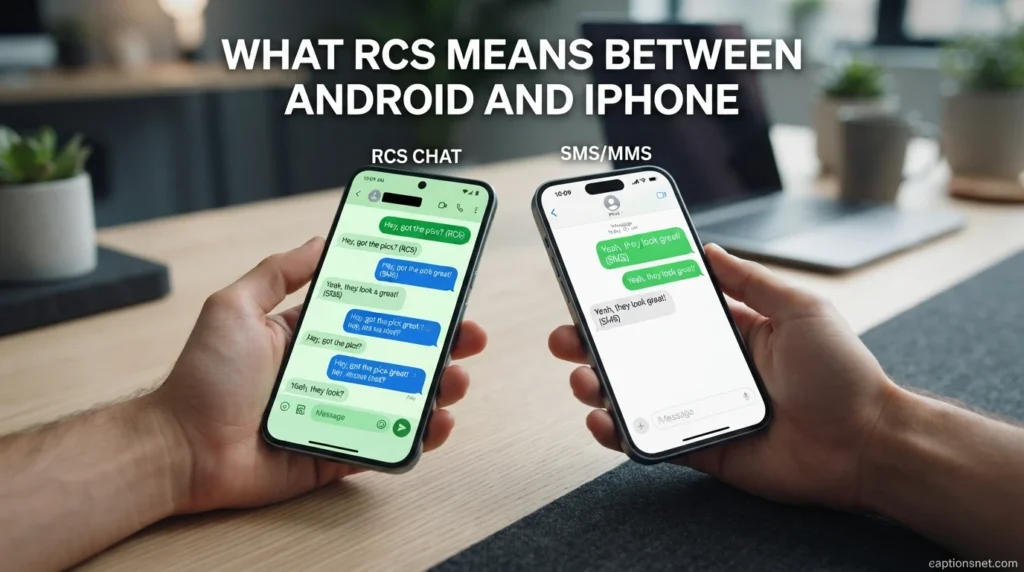
- RCS is now supported for texting between Android and iPhone in supported circumstances. 📱
- This helps phone-number messaging work more consistently across the two major smartphone platforms. 🤝
- Apple has added RCS support to iPhone, while availability depends on software, carrier, and region. 🍎
- Google also documents RCS availability between Android and iPhone. 🔵
- Cross-platform RCS can provide features such as richer media and modern messaging capabilities. 📸
- Not every feature necessarily behaves identically across Android and iPhone. ⚙️
- Carrier and regional support can affect whether an iPhone user can access RCS. 🌍
- An iPhone may display an indication that a message is being sent through RCS. 💬
- Messages from Android users can still appear with green bubbles in Apple’s interface. 🟢
- The color of the bubble should not be confused with the technical meaning of RCS. 🎨
- The rcs meaning in text remains Rich Communication Services regardless of the phone brand. 🔤
- Cross-platform messaging has become an important part of RCS development. 🌉
- Google says RCS is available for texting between Android and iPhones, subject to support requirements. 🌐
- Apple announced in 2026 that end-to-end encrypted RCS messaging began rolling out in beta for supported configurations. 🔐
- Cross-platform encryption availability can depend on compatible software and services. 🛡️
- Google and Apple have both described work toward stronger cross-platform RCS security. 🤍
- The experience may therefore continue evolving as platforms implement newer RCS capabilities. 🌱
- Users should check their device and carrier settings when a feature does not appear. 🔧
- RCS helps make phone-number messaging more capable across different smartphone ecosystems. 🌎
- For everyday users, the most important point is that RCS can make cross-platform texting richer. 😊
How RCS Works When You Send a Message
- You open your normal messaging application and choose a compatible contact. 📱
- The messaging service checks whether RCS communication is available for the conversation. 🔎
- If supported, the message can be sent using RCS over Wi-Fi or mobile data. 🌐
- The recipient receives the message through a compatible messaging service. 📨
- The conversation can then use supported features such as typing indicators and read receipts. ⌨️
- Photos and videos can be transmitted with richer quality than traditional multimedia messaging in supported situations. 📸
- Group conversations can also use RCS capabilities when participants and services are compatible. 👥
- The process usually feels simple because the technical work happens behind the messaging interface. ✨
- You do not normally need to understand networking protocols to send an RCS message. 🧠
- RCS is designed to preserve the familiar convenience of phone-number communication. ☎️
- The rcs meaning in text becomes easier to appreciate when you see how automatically the system can work. 🌷
- If the recipient does not support RCS, a compatible app may fall back to SMS or MMS. 🔄
- This fallback helps prevent a failed conversation simply because RCS is unavailable. 🤲
- Google Messages allows users to configure how messages should be resent when RCS delivery fails. 🛠️
- Internet access can be important for successful RCS communication. 📶
- Carrier infrastructure can also play a role in providing RCS service. 🛰️
- Different providers may handle RCS services through different infrastructure. 🔗
- Users can often check their RCS status through messaging settings. ⚙️
- The technical process is complicated behind the scenes but intentionally simple for everyday texters. 🌟
- In practical terms, you type and send normally while the messaging system chooses the supported communication method. 💙
Is RCS Safe and Private for Texting?
- RCS includes security features, but the exact protection depends on the implementation and participating platforms. 🔐
- Google Messages provides end-to-end encryption for certain RCS conversations between Google Messages users. 🛡️
- Google explains that encryption availability can depend on the type of RCS conversation. 📱
- Cross-platform encryption has been developing as providers work toward interoperable security standards. 🌐
- Apple announced a 2026 beta rollout of end-to-end encrypted RCS for supported iPhone and Android configurations. 🔒
- An encryption indicator can help users identify when a supported conversation is end-to-end encrypted. 🔑
- Users should not assume that every RCS conversation has identical security protections. ⚠️
- Different carriers and messaging applications can implement RCS differently. ⚙️
- Checking the security information provided by your messaging application is a sensible way to understand your conversation. 👀
- The rcs meaning in text itself does not guarantee a specific level of privacy. 🧩
- RCS is a standard, while security features can depend on the services implementing that standard. 🛠️
- Google states that RCS messages may be routed through provider infrastructure depending on the participating services. 🌐
- Sensitive information should always be shared thoughtfully, regardless of the messaging method. 🤍
- Users can review messaging settings to understand available privacy and security controls. ⚙️
- Read receipts and typing indicators can also be disabled or managed in supported applications. 🔕
- Privacy preferences can vary between devices and messaging platforms. 📲
- A richer messaging experience does not automatically mean every message is publicly visible. 🌸
- Security should be understood from the specific service’s documentation rather than from the RCS label alone. 📚
- Keeping your phone and messaging application updated can help you receive current security improvements. 🔄
- RCS security continues to evolve as cross-platform implementations develop. 🌱
How to Turn RCS Messaging On or Off
- On supported Android devices, RCS can commonly be managed through Google Messages settings. ⚙️
- Open Google Messages and select your profile picture or account icon. 📱
- Go to Messages settings and look for RCS chats. 🔎
- Some versions or devices may use the label Chat features instead. 🏷️
- From the RCS settings area, you can review whether the service is connected. 🔗
- You can also manage features such as read receipts when supported. 👁️
- Typing indicators can be controlled through the relevant RCS settings. ⌨️
- Google provides official instructions for turning RCS chats on or off. 📚
- Availability can depend on your carrier and device. 📡
- iPhone users should check their Messages settings and carrier support for RCS availability. 🍎
- The rcs meaning in text does not change when you turn the feature on or off. 💙
- Turning RCS off can cause messages to use SMS or MMS instead. 🔄
- Google advises against repeatedly switching RCS on and off because it can affect group-chat participation. ⚠️
- If you change phones, RCS settings may need attention to ensure messages continue arriving correctly. 📲
- Losing access to an old device can also create RCS registration issues. 🛠️
- Google provides a deactivation process for situations where a user cannot access the original phone. 🔐
- A connected status generally indicates that RCS is ready to use. 🟢
- A connecting status means your number may still be undergoing verification. ⏳
- If RCS is disabled by your carrier, contacting the carrier may be necessary. 📞
- Checking official device and carrier instructions is the safest way to change messaging settings. 🌷
Common Reasons RCS May Not Work
- RCS may not work if your carrier does not currently support the service. 📡
- Your phone may not have compatible software or messaging-app support. 📱
- Internet connectivity can affect RCS because supported messages use Wi-Fi or mobile data. 🌐
- The recipient may not have compatible RCS service enabled. 👤
- Regional availability can also affect access to RCS features. 🗺️
- A temporary verification problem can prevent your number from connecting properly. ⏳
- Outdated messaging applications can sometimes cause compatibility problems. 🔄
- Google recommends updating Google Messages when troubleshooting RCS connection problems. 🛠️
- Switching messaging applications can sometimes affect how your RCS registration works. 🔁
- Changing phones without properly handling RCS registration can lead to missed messages. 📲
- Removing a SIM card can also affect RCS behavior in certain circumstances. 💳
- The rcs meaning in text remains the same even when the service temporarily stops working. 💙
- A conversation may fall back to SMS or MMS if RCS is unavailable. 📨
- Some features may disappear when the conversation no longer qualifies for RCS. 🌧️
- Read receipts may not appear if participants have disabled them. 👀
- Typing indicators may also be unavailable when the relevant setting is disabled. ⌨️
- A carrier outage or service interruption can temporarily affect messaging. 🛰️
- Device settings can sometimes prevent RCS from connecting correctly. ⚙️
- Troubleshooting should begin with checking connectivity, application updates, and RCS status. 🔎
- If problems continue, your carrier or messaging provider may be able to explain the specific limitation. 🤝
What RCS Means When You See Read Receipts or Typing
- A typing indicator generally means the other person is currently composing a response. ⌨️
- A read receipt can indicate that a supported message has been read. 👁️
- These features are strongly associated with modern RCS messaging. 💬
- They can make phone-number conversations feel more immediate and emotionally connected. ❤️
- Seeing typing dots can create the comforting feeling that a reply is on its way. 🌷
- A read receipt can provide reassurance that an important message reached the other person’s attention. 🤍
- Neither feature should automatically be interpreted as a promise that a response will arrive immediately. 🌿
- Someone can read a message and need time before replying. ⏳
- Someone can begin typing and then change their mind before sending anything. 💭
- Technology can provide information about messaging activity without explaining a person’s feelings or intentions. 🧠
- The rcs meaning in text is technological, even though its features can influence how conversations feel. ✨
- Read receipts depend on the relevant settings and supported messaging service. ⚙️
- Google notes that read receipts can be enabled through RCS settings. 📚
- Typing indicators can similarly be controlled through supported settings. 🛠️
- If RCS is unavailable, these features may disappear from the conversation. 🔄
- Different platforms may display these indicators in slightly different ways. 📱
- A missing indicator does not necessarily mean someone ignored a message. 🌸
- Messaging technology is helpful, but human communication still requires patience and understanding. 🤝
- The most comforting approach is to treat read and typing indicators as technical signals rather than emotional verdicts. 💕
- RCS can make texting feel more connected while still leaving room for ordinary human timing. 🌈
RCS Meaning in Texting Examples
- If your phone says RCS message before sending, it indicates the conversation can use Rich Communication Services. 📱
- If you see typing dots from a friend, RCS may be supporting the typing-indicator feature. ⌨️
- If a message shows as read, a supported RCS read receipt may be active. 👀
- If a photograph arrives in much better quality than expected, RCS may be carrying the media. 📸
- If a group chat supports richer reactions and sharing, RCS may be involved. 👥
- If you can send a message over Wi-Fi, that can be a sign of RCS functionality. 🛜
- If your phone switches between RCS and SMS, availability may have changed between messages. 🔄
- If your messaging app displays RCS chats in settings, your device likely supports the feature. ⚙️
- If an RCS conversation stops working, checking your internet connection can be a useful first step. 🌐
- If your phone says RCS is connecting, the service may still be verifying your number. ⏳
- If your phone says RCS is not supported, your carrier or device may not currently provide it. 🚫
- If someone asks about the rcs meaning in text, simply explain that it means Rich Communication Services. 💬
- If a friend thinks RCS is texting slang, reassure them that it is a messaging technology. 😊
- If someone sees RCS beside a conversation, it does not necessarily indicate anything personal about the sender. 💙
- If photos look clearer in one conversation than another, different messaging methods may be involved. 🖼️
- If typing indicators disappear, the conversation may no longer be using a compatible RCS service. 🔕
- If a message falls back to SMS, RCS may not currently be available for that recipient. 📨
- If your phone recently changed, RCS registration may need to be checked. 📲
- If you want to understand the label, think of RCS as richer texting through modern messaging infrastructure. 🌟
- These examples show how a simple three-letter label can explain many everyday messaging behaviors. 🌈
FAQs
What does RCS mean in text?
RCS means Rich Communication Services, a modern messaging standard designed to provide more advanced features than traditional SMS. 💬
Is RCS a texting abbreviation?
RCS is an abbreviation, but it is a technical term rather than casual texting slang or internet shorthand. 📱
What is the simplest RCS meaning in text?
The simplest explanation is that RCS is a richer form of phone-number messaging with features such as read receipts, typing indicators, and better media sharing. ✨
What is the difference between RCS and SMS?
SMS is a traditional text-messaging system, while RCS supports a broader range of modern messaging features and can use internet connectivity. 🌐
Does RCS work on Android phones?
Yes, RCS is supported on compatible Android devices and messaging applications, although availability can depend on the device, carrier, and region. 🤖
Does RCS work between Android and iPhone?
RCS can support messaging between Android and iPhone when the necessary device, software, carrier, and regional support is available. 🤝
Can RCS show when someone is typing?
Yes, typing indicators are among the features that RCS can provide when the feature is supported and enabled. ⌨️
Can RCS show read receipts?
Yes, supported RCS conversations can provide read receipts when the relevant settings are enabled. 👀
Does RCS use Wi-Fi?
Yes, RCS can use Wi-Fi or mobile data for supported messaging conversations. 📶
Is RCS better than SMS?
RCS and SMS serve different purposes, but RCS offers more interactive features than traditional SMS when compatible support is available. 🌟
Why does my phone say RCS message?
It usually means your messaging application has identified the conversation as one that can use Rich Communication Services. 🔎
Can RCS send photos and videos?
Yes, RCS supports richer media sharing, including high-resolution photos and videos on compatible services. 📸
What happens if RCS is unavailable?
Depending on the messaging application and settings, the conversation may fall back to SMS or MMS. 🔄
Does RCS mean someone has read my message?
RCS itself does not mean a message has been read; a read receipt is a separate feature that may appear when supported and enabled. 💙
Does RCS mean someone is typing?
RCS is the messaging technology, while a typing indicator is simply one feature that the technology can support. 💭
Is RCS the same as iMessage?
RCS and iMessage are different messaging technologies, although both can provide richer communication features than traditional SMS. 🍎
Is RCS safe to use?
Security depends on the particular messaging service and implementation. Some supported RCS conversations offer end-to-end encryption, while protections can vary between platforms. 🔐
Can I turn RCS off?
On supported devices and messaging applications, users can generally manage RCS through their messaging settings. ⚙️
Why does RCS sometimes stop working?
Connectivity problems, carrier support, device settings, software issues, or recipient compatibility can affect RCS availability. 🛠️
How can I remember the RCS meaning in text?
Simply remember that RCS stands for Rich Communication Services and represents modern, feature-rich messaging through phone numbers. ❤️
Conclusion
RCS may look like just another unfamiliar abbreviation when it first appears on your phone, but its meaning is actually quite straightforward. RCS stands for Rich Communication Services, a modern messaging standard designed to bring richer features to everyday phone-number conversations.
Instead of limiting communication to basic text, RCS can support features such as typing indicators, read receipts, high-quality photos and videos, group-chat improvements, reactions, and messaging through Wi-Fi or mobile data. These capabilities can make ordinary conversations feel more natural, immediate, and connected.
The most important thing to remember about the rcs meaning in text is that it is not texting slang. It describes the technology being used to deliver the conversation. Whether you are seeing RCS on an Android phone, communicating between Android and iPhone, or simply wondering why your messaging experience suddenly looks different, those three letters point to a richer form of digital communication.
Technology will continue changing how we communicate, but understanding terms like RCS makes those changes feel much less confusing. Once you know what Rich Communication Services means, you can recognize the difference between RCS, SMS, and MMS and better understand the features appearing in your everyday conversations.